Google Review Request Templates: Email, In Person and QR Cards
Copy Google review request templates for email, in-person requests, receipts and QR cards. Ask for honest feedback without incentives.

We make Scan And Review.
The best way to ask for a Google review is to ask every customer the same way, soon after the visit, with a link or QR code that opens the review box in one tap. Offer nothing in return, and never ask only the customers you expect to be happy. These templates follow that rule. Copy them, fill in the brackets and use them as they are.
We make Scan And Review. This guide reflects Google's policies as read on . By .
The three rules every template follows
- Ask every customer. Google's policy for merchants bans the practice of "selectively solicit[ing] positive reviews from customers" and of "discourag[ing] or prohibit[ing] negative reviews". It allows you to "solicit or encourage the posting of content that does represent a genuine experience, without offering incentives." (Google Maps contributed content policy, read 2026-11-09.)
- Offer nothing in return. No discounts, free items or prize draws. The same policy lists "payment, discounts, free goods and/or services" as incentives that are not allowed.
- Ask for an honest review, not a star rating. Do not tell people what to write. "Please rate us 5 stars" is wrong. "We'd appreciate an honest review" is right.
Text messages are not covered here. Scan And Review does not send them, and texting customers comes with its own consent rules, so we left text templates out.
Email templates
Editorial recommendation: ask while the visit is fresh, and limit follow-ups to one reminder. Choose timing that suits your customers.
Subject lines
How did we do, [Name]?Could you share your experience with [Business]?Your honest review helps other customersA quick favor from [Business]
Template 1: after a visit or purchase
Subject: How did we do, [Name]?

Hi [Name],

Thank you for visiting [Business] on [day]. We'd really appreciate an honest review on Google, whatever your experience was. It takes about a minute:

[review link]

Thank you,
[Your name]
[Business]
Template 2: after a job or service
Subject: Your honest review of [Business]

Hi [Name],

Thanks for choosing [Business] for [service]. An honest review on Google tells other customers what to expect and tells us how we did:

[review link]

If anything was not right, reply to this email and we will look into it.

[Your name]
The last line is for every customer, not a filter. Everyone gets the same email and the same link. Do not route unhappy customers somewhere else.
Template 3: the one reminder, seven days later
Subject: A quick reminder from [Business]

Hi [Name],

A short reminder in case the first note got buried. An honest review on Google helps a small business like ours, whenever you have a minute:

[review link]

If you would rather not, no problem at all. Thank you either way.

[Your name]
Send it once. A second reminder starts to feel like pressure, and Google's policy bans pressure on the premises ("Requiring customers to review before they leave").
In-person scripts
A spoken ask works best at the moment the customer is already paying or leaving.
- At checkout: "We'd really appreciate an honest review on Google. Here's a card with a QR code. It opens the review box in one tap."
- At the end of a job: "If you have a minute, an honest review on Google helps us a lot. I'll leave a card with the link."
- At reception: "Whenever you get a chance, we'd welcome an honest review on Google. The code on this card takes you straight there."
Three rules for staff: ask every customer, ask once, and never set a quota. Google lists "merchants requesting that staff solicit a certain number of reviews" as rating manipulation, so do not give your team a weekly target of reviews. Give them a target of asking everyone instead.
Receipt and invoice lines
Print one line next to a QR code. A link printed on paper is hard to type, so use the code.
How did we do? Scan to review us on Google.Tell us how we did: scan to leave a Google review.Scan to leave an honest review on Google. It takes about 30 seconds.
Make the code at least 2 × 2 cm (0.8 in) and leave white space around it. Our free Google review QR code generator makes one from your business name.
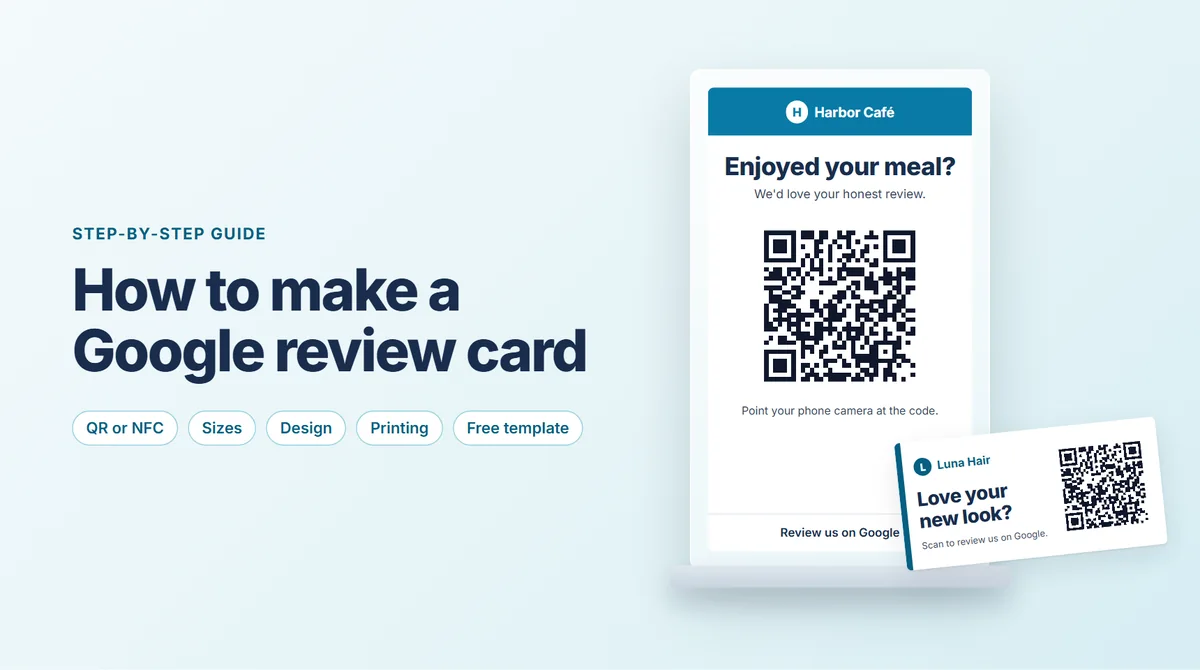
QR card text
A card works because it is handed over or left where customers wait or pay. Keep the headline under 40 characters and add one line under the code. Headlines that read as neutral and honest:
How did we do?Tell us how we didWe read every reviewYour feedback helps us improveGot 30 seconds? Leave us a review
Under the code: Scan to review us on Google or Point your phone camera here. The free review card maker builds the card with your logo and your link, as a print-ready PDF.
Email signature and website lines
Both reach customers after they have already bought from you, so they are low pressure.
- Email signature:
Tried us recently? Leave an honest review on Google.with your review link. - Website "thank you" page: a plain button that says
Review us on Google. Never hide the button behind a rating question.
You can create the link in seconds with the free Google review link generator.
When to ask, by business type
| Business | Best moment | Where |
|---|---|---|
| Restaurant or café | When the bill arrives | QR code on the bill folder or table card |
| Hair or beauty salon | At checkout, after the customer sees the result | Card at the station and with the receipt |
| Dental or medical practice | At reception after the appointment | Card on the desk and the link in your appointment email. Never mention treatment in a reply |
| Hotel or B&B | At check-out, or the day after | Card at reception and the thank-you email |
| Trades and home services | At the final walkthrough of a job | Card in hand, and the link on the invoice |
| Online shop | 2 to 5 days after delivery, once the product has been used | Link in the order follow-up. Only works if you have a Google Business Profile |
Wording to avoid
| Do not write | Why |
|---|---|
| "Leave a 5-star review and get 10% off" | An incentive, and it tells people what to say. Banned by Google and, in the US, by the FTC rule |
| "Happy? Review us on Google. Not happy? Tell us instead." | Review gating: it sends only the happy customers to Google. Google bans selectively soliciting positive reviews |
| "Please rate us 5 stars!" | Tells customers what to write. Ask for an honest review |
| "If you were happy with your visit, please review us" | Asks only the happy. Ask everyone and let them say what they think |
| "Please contact us instead of leaving a bad review" | Discourages negative reviews, which Google bans |
| Giving customers a ready-made review to post | You cannot write reviews for customers |
Pair each template with the right tool
| You want to | Use |
|---|---|
| Get your review link | Google review link generator |
| Put the link on a receipt or sign | Google review QR code generator |
| Print a card or table sign | Google review card maker |
| Set a realistic target | Google review calculator |
| Find the Place ID behind the link | Google Place ID finder |
For more ways to ask, read how to get more Google reviews. Once the reviews arrive, reply to every one.
Make asking a habit
Asking every customer by hand is the part most businesses drop after a few weeks. Scan And Review gives each table, counter or location its own QR code and counts every scan, so you can see which card brings in feedback. It alerts you when a customer reports a problem and writes an AI reply to every new Google review. It does not send text messages, and it does not write or post reviews for customers. See what it does or start a free 14-day trial with no credit card.
Questions people ask
Can I send a review request email to every customer?
Yes. Google allows you to "solicit or encourage the posting of content that does represent a genuine experience, without offering incentives". Send the same request to every customer, with one reminder at most.
Should I ask for a 5-star review?
No. Ask for an honest review. Telling customers which rating to give is against Google's policy and the wrong signal to your customers.
Can I give a discount in exchange for a review?
No. Discounts, free items and prize draws count as incentives. Google bans them, and in the US the FTC rule on fake reviews bans rewards for reviews that express a particular opinion.
How long should I wait before I ask?
Ask within 24 hours of the visit for services and meals, and a few days after delivery for products. Send one reminder after seven days at most.
What if a customer had a bad experience?
Ask them like everyone else, and answer any review they post. If they raise a problem with you directly, fix it. Do not offer anything in return for a changed or removed review.
Does Scan And Review send these emails for me?
No. Scan And Review gives you QR cards, surveys and links to paste into your own emails. It does not send text messages.
Written by
Digital Reputation Consultant
Stephan Bauer writes about online reputation management, Google reviews, and growth strategies for local businesses.