

Imagine this. A customer pulls out their phone and searches "pizza near me." Two places pop up. Your competitor has 247 reviews and a 4.7-star rating. You have 12 reviews and a 4.2.
Guess who gets the customer?
This happens thousands of times a day. Your food might be better, but if nobody's talking about you online, that doesn't matter. That's why learning how to get more Google reviews for your business isn't optional; it's survival.
The frustrating part? Your happy customers want to help. They say, "Sure, I'll leave a review!" then they open Google, stare at the blank text box, and have no idea what to write. So they close the app and forget about it.
This guide shows you how to fix this problem with a system that makes it ridiculously easy for customers to leave reviews on Google, even if they've never written one before. And the tool we'll use, Scan and Review, is free for 1 full year.
Why Google Reviews Matter
If you want to increase Google reviews for your business, you first need to understand why they're so powerful:
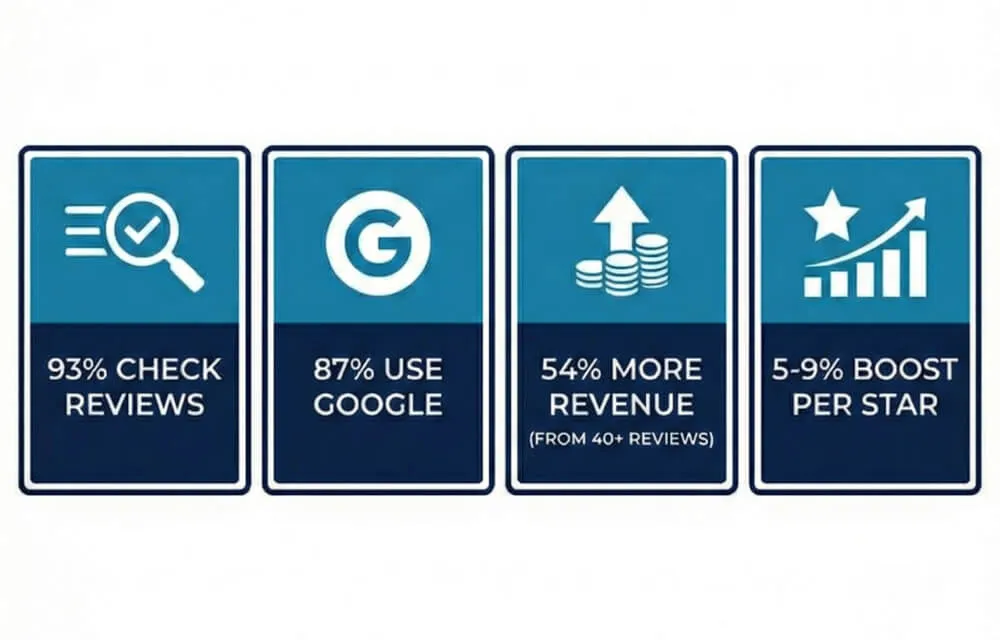
- 93% of people check reviews before spending money somewhere
- 87% use Google specifically to look up local businesses
- Businesses with 40+ reviews earn 54% more revenue than average
- Going up just one star can boost income by 5–9%
Google also uses your reviews to determine where you appear in search results. More recent reviews = higher ranking. If you want to get more reviews, Google rewards businesses that consistently earn fresh, authentic feedback.
Bottom line: Every review you're not getting is a customer you're not winning. The best way to get Google reviews is to make them effortless.
Why Customers Don't Leave Reviews (And How to Fix It)
If you've ever asked "how do I get more Google reviews?" — you already know the answer isn't "ask harder." The problem is friction.
Here's what happens when someone tries to leave a review:
- They say "Sure, I'll do it!"
- They open Google, find your business, tap "Write a review"
- They see a big blank text box
- They think: "Uh… what do I even say?"
- They close the app and forget forever
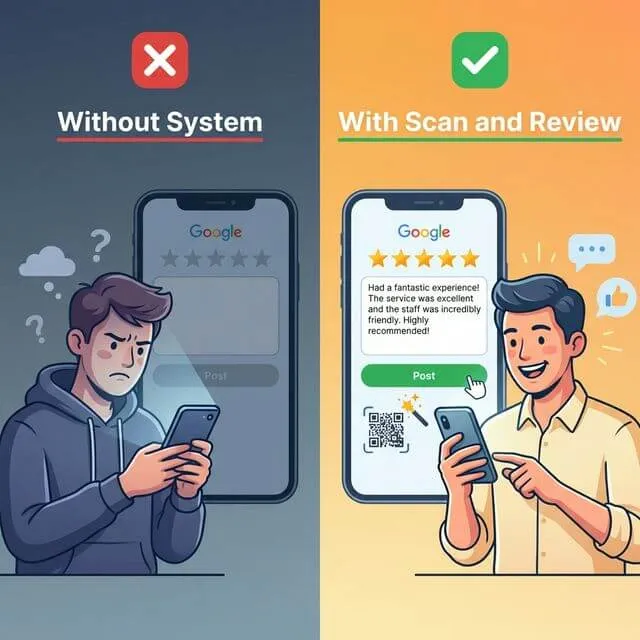
This is the #1 reason you're not getting more Google reviews. People don't know what to write. Add to that the forgetting, the extra taps, and the "my review won't matter" mindset — and follow-through drops to almost zero.
Understanding these barriers is key to learning how to get more Google reviews from customers. The fix? Remove the hard part entirely.
How to Generate Google Reviews Automatically
So what's the best way to get Google reviews without chasing every customer? Give them a QR code. They scan it, answer a couple of simple questions about their visit, and the system writes a review draft for them.
When they land on Google, the review is already written. All they do is paste and submit. 30 seconds. Done.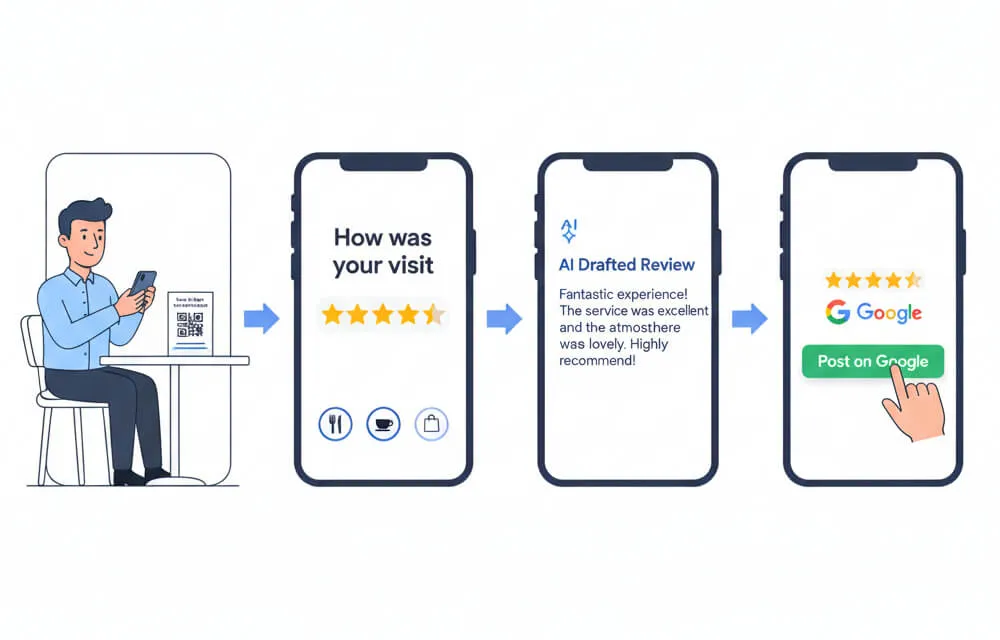
For happy customers (4-5 stars): The AI turns their answers into a natural, personal review they can edit and post with one tap.
For unhappy customers (1-3 stars): They get the same one-tap path to Google — plus a direct line to you, so you hear what went wrong straight away and get the chance to put it right.
This simple system is how to increase Google reviews without pressuring anyone. It's also how to get good Google reviews — because the drafts are built from real customer words, not generic templates.
This is what Scan and Review does — free for 1 full year for small businesses.
Step 1: Set Up Your Google Business Profile
Before you can increase Google reviews, you need a verified Google Business Profile:
- Go to business.google.com and click "Manage now"
- Enter your business name and pick a specific category
- Add your address, phone, website, and hours
- Verify your business — Google sends a code (takes 5–14 days)
⚠️ You can't receive reviews until you're verified. Start today if you haven't.
Quick checklist: accurate info ✓ specific category ✓ 10+ quality photos ✓ services filled out ✓
A polished profile is the foundation of how to get better Google reviews — it tells customers your business cares about the details.
Step 2: Create Your Review Funnel
🎁 Small businesses get Scan and Review free for 12 months. Every feature, no credit card.
- Sign up at scanandreview.com and connect your Google Business Profile
- Go to Surveys → Create New Survey — add your logo, brand colors, and a welcome message
- Set up follow-up questions for happy customers: "What did you enjoy most?" and "Who helped you today?"
- The AI turns their answers into a ready-made review draft:
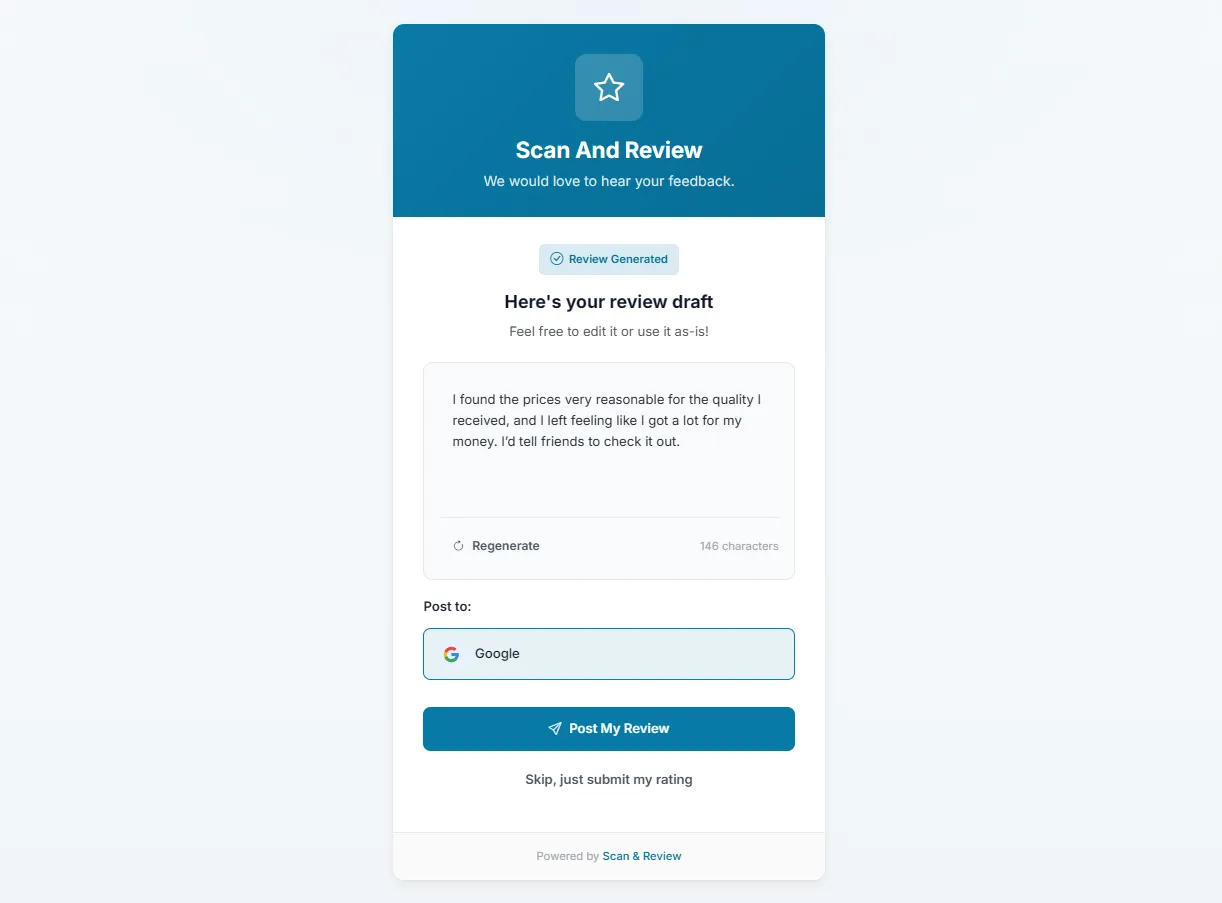
The customer didn't write anything — they just answered two easy questions. The AI did the rest. The review sounds natural because it's built from their own words.
This is how to get customers to leave reviews on Google — by removing every obstacle between their experience and a published review.
Step 3: Place QR Codes + Ask at the Right Moment
Your funnel is live. Now get it in front of customers.
Best Spots for QR Codes
- 📋 Restaurant tables — tent cards or stickers
- 💳 Next to the register — small stand by the card reader
- 🧾 On receipts — customers see it right after paying
- 🏥 Waiting rooms — people have time and their phone
- 🪪 Business cards — hand them out with "Tell us how we did!"
The golden rule: people waiting = people scanning.
When and How to Ask
Ask when the customer is happiest — right after they say "That was amazing!" or "I'll definitely be back." Keep it natural:
"If you have 30 seconds, scan this code — it even helps you write the review!"
That last part is key. It removes the biggest fear: having to come up with something clever to say. Train your team on this one line — the funnel does the rest.
Step 4: Respond Fast to Negative Feedback
When someone gives 1-3 stars, you get an instant alert and their feedback lands in your dashboard — often before they've even left the building.
This is how to increase Google reviews for business the right way. Respond within 2 hours, offer something specific (not a vague "sorry"), and follow through.
The twist: customers whose problems you fix often become your biggest supporters. Those "they had an issue but fixed it perfectly" reviews are gold — they build more trust than generic 5-stars.
Step 5: Automate with Email & API
QR codes work great in person. But for total automation, use Scan and Review's Email Automations:
- Create an email automation with your branded template
- Get your unique webhook URL
- Connect your CRM, POS, or booking system — just send a POST request with the customer's email and name
- Sit back — review requests go out automatically after every visit
Works with HubSpot, Salesforce, Calendly, Shopify, Zapier, and anything that can make an API call.
💡 Pro tip: Add a 2-hour delay. Let customers get home and relax before asking.
Your First-Week Checklist
| Day | What to Do | Time |
|---|---|---|
| 1 | Verify & optimize your Google Business Profile | 15 min |
| 2 | Sign up at scanandreview.com, connect Google | 5 min |
| 3 | Build your review funnel with branding + AI drafts | 15 min |
| 4 | Create QR codes and order printed cards | 15 min |
| 5 | Place QR codes, brief your team, set up email automation | 15 min |
| 6 | Test the whole flow yourself | 5 min |
| 7 | Ask your first 5 happy customers to scan the code | 10 min |
Total: about 1 hour spread over a week.
Within 30 days, most businesses see 2–4x more Google reviews and a noticeable bump in their rating. That's how to increase Google reviews without spending your nights chasing customers.
FAQ: How Do I Get More Google Reviews?
How do I get more Google reviews for my business? If you've been asking yourself "how to get more Google reviews for my business," the answer is simple: make leaving a review effortless. Use Scan and Review to create a QR-code-based funnel that generates AI-written review drafts customers can post in seconds.
What's the best way to get Google reviews? Ask at the right moment, make it easy (QR code → survey → AI draft), and remove the hard part — figuring out what to write. Timing + simplicity is the best way to get Google reviews consistently.
How do I get customers to leave Google reviews? Most customers want to help — they just don't know what to say. Give them a guided experience: a short survey generates a personalized review they can edit and post. That's how to get customers to leave Google reviews reliably.
How can I increase my business's Google reviews? Set up an automated review funnel, place QR codes where customers wait, train your team, and let the AI handle the writing. Most businesses increase Google reviews by 2–4x within 30 days.
How do I get better Google reviews? Ask specific questions — "What did you enjoy most?" and "Who helped you today?" — instead of a blank "leave us a review." The answers produce detailed, authentic reviews. That's how to get better Google reviews and good Google reviews at the same time.
Can I get free Google reviews? Never pay for reviews — Google will penalize you. Instead, use a free tool like Scan and Review to generate Google reviews organically from real customers. You can get free Google reviews ethically by making the process easy and asking everyone.