
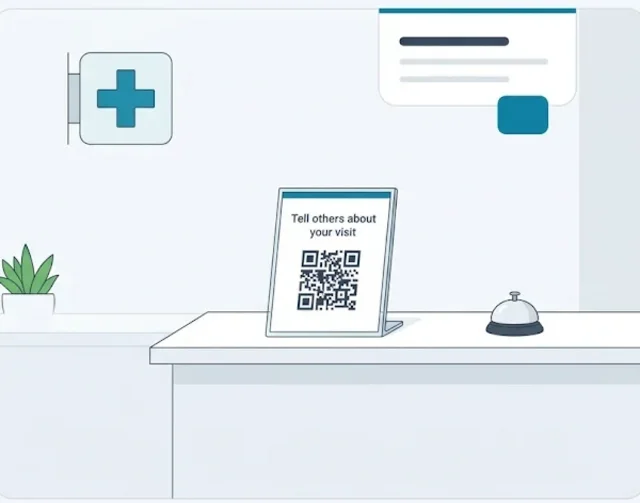
What healthcare reputation management covers
Medical reputation management sounds like a marketing job. In reality, most of it happens at the front desk and in the inbox. It has four parts:
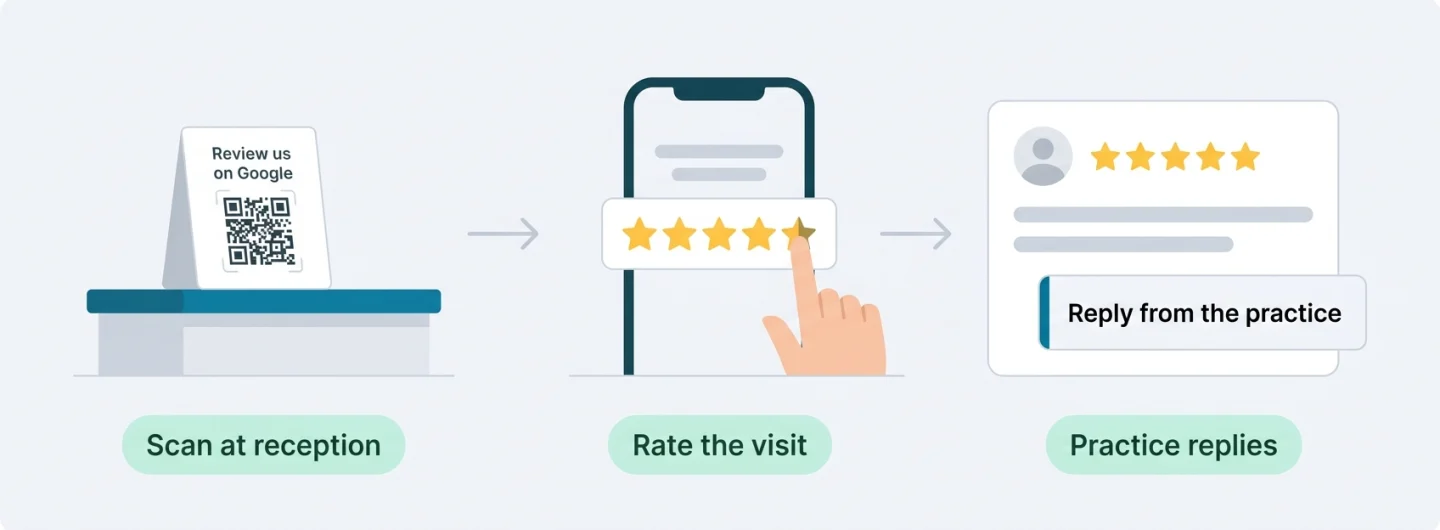
- Getting reviewsAsking patients, every day, to share their experience: at reception, on appointment cards, in follow-up emails.
- ReplyingA short, careful public answer to every review on your Google Business Profile.
- ListeningSpotting the themes in what patients write, such as waiting time, billing or friendliness.
- Keeping the profile rightHours, services, phone number and description that match reality on Google Search and Maps.
Healthcare review management is the day-to-day part: reading new reviews, deciding who replies, and making sure nothing sits unanswered for weeks. Online reputation management for healthcare is the wider picture: what a patient sees when they search for your clinic's name or for "physiotherapist near me".
This page focuses on Google reviews, because that is the review source Scan And Review works with, and because Google says reviews "show next to your Business Profile in Maps and Search". Directories such as Healthgrades, Zocdoc or Vitals matter too, but they are outside what our software covers.
Why a healthcare practice can't treat reviews like a restaurant
A restaurant can reply "Thanks, Anna, glad you loved the risotto!" A clinic can't write the equivalent.
In the United States, a reply that confirms someone was a patient, or mentions their treatment, can be a disclosure of protected health information under HIPAA. That is not a theoretical risk. The HHS Office for Civil Rights (OCR) has settled with or fined several practices for exactly this:
- Manasa Health Center, New Jersey (psychiatric care)Disclosed a patient's information when it replied to the patient's negative online review.$30,000Settlement and corrective action plan
- New Vision Dental, CaliforniaDisclosed patient information in replies to online reviews.$23,000Settlement and corrective action plan
- Dr. U. Phillip Igbinadolor, D.M.D. & Associates (UPI), North CarolinaDisclosed a patient's information on a webpage in response to a negative online review.$50,000Civil money penalty
- Elite Dental Associates, DallasDisclosed patients' information on social media.$10,000Settlement and corrective action plan
- Cadia Healthcare FacilitiesPosted a patient's name, photo and treatment details as a "success story" on its website without authorization.$182,000Settlement
In the Cadia announcement, OCR's director said a valid written HIPAA authorization is generally needed before a provider posts a person's health information in a testimonial.
The rule of thumb
The patient may tell the whole world about their visit, but the practice may not confirm any of it. Even "We're sorry your root canal hurt" confirms a patient relationship and a treatment.
Outside the US, professional secrecy rules and data protection law point the same way. This page is general information, not legal advice; check your own obligations with your compliance adviser or professional body.
How to reply to patient reviews without revealing anything
Google's own guidance for replies fits healthcare well: "Never share a reviewer's private information or engage in personal attacks. If a situation is complex, politely request that the reviewer contact you via phone or email to resolve the issue privately".
Safe to write
- "Thank you for your kind words about our team."
- "We're sorry to hear this. Please call our practice manager on [phone]."
- "We take every concern seriously and would like to talk."
- Speak about the practice in general: "our team", "our clinic".
Never write
- "Thanks for coming in for your knee surgery follow-up."
- "We checked your file and you arrived 20 minutes late."
- "Dr. Lee says your results are normal."
- The reviewer's doctor, treatment, diagnosis, dates or costs.
Reply examples by situation
"Dr. Patel fixed my back pain after months. Best clinic in town!"
"Thank you so much for taking the time to write this. Our whole team works hard to make every visit a good one, and words like these mean a lot to us."
Why it works: It thanks the reviewer warmly without repeating the treatment, the doctor's name or the result.
"Friendly staff, but parking was a nightmare."
"Thank you for the feedback and the kind words about our team. You're right that parking can be tight at busy times. Our website lists the nearby public car parks, and we're looking at what else we can do."
Why it works: Parking is about the building, not the patient, so you can answer it directly.
"Good care but I waited 50 minutes past my appointment."
"Thank you for telling us. Long waits are frustrating, and we're reviewing how we schedule our busiest sessions. If you'd like to talk it through, please call our practice manager on [phone]."
Why it works: It accepts that waits happen without confirming this reviewer's appointment time.
"Charged twice and nobody calls me back."
"We're sorry to hear about this experience. Billing questions need a proper look, which we can't do here. Please email billing@[clinic].com or call [phone], and our billing team will get back to you."
Why it works: It moves the conversation to a private channel and doesn't discuss any account or amount.
A review from someone you don't recognise? Don't write "We have no record of you": that tells everyone who is and isn't in your records. Reply as you would to any other concern. If the review looks fake or breaks Google's policies, report it from your Business Profile; Google says you can flag a review "if you believe that a review violates Google's content policies".
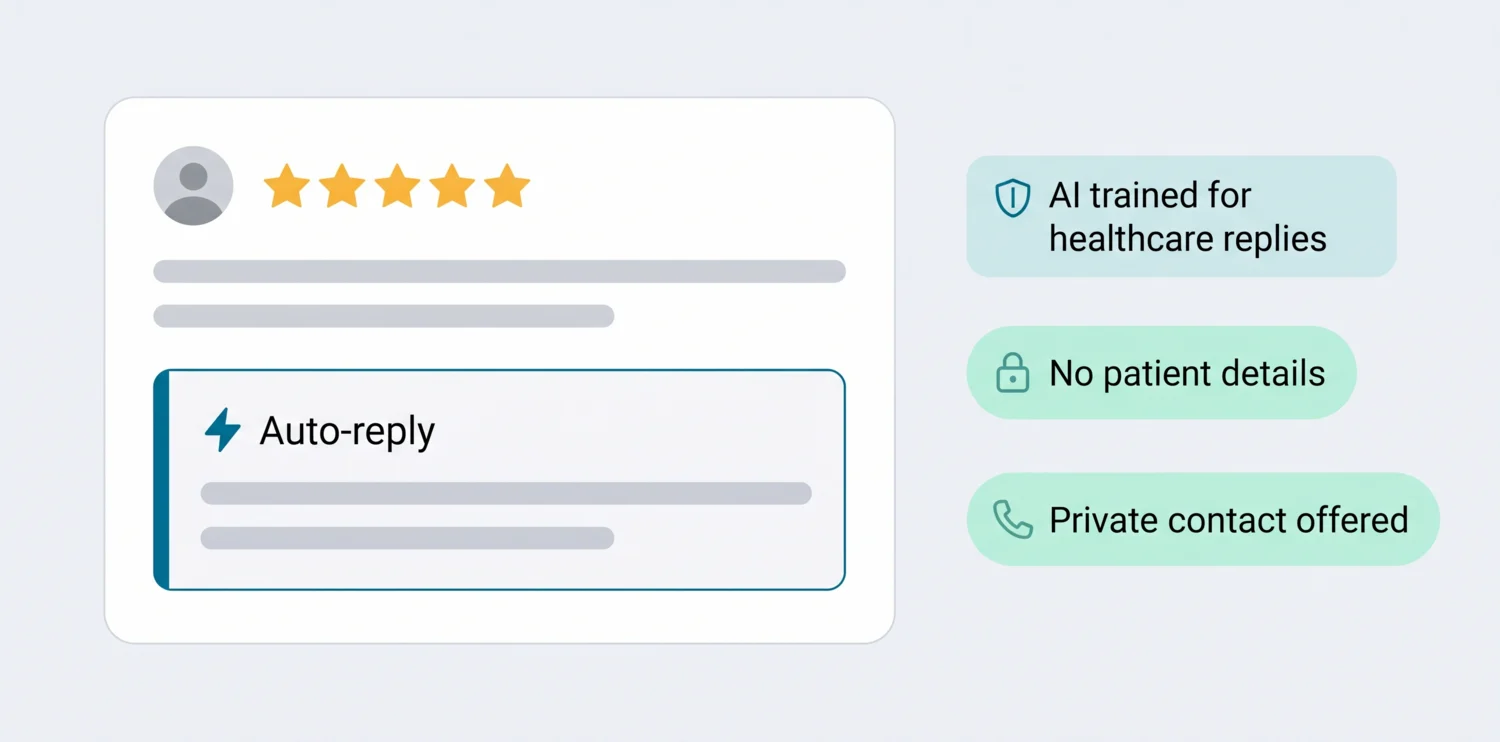
Scan And Review answers new Google reviews with AI auto-reply. The AI is trained for healthcare replies: it keeps patient details out, speaks about general policy and offers a private contact. You choose which star ratings get an automatic reply, for example 4 and 5 stars, while low ratings wait in the Urgent tab for a person. Prefer to check every reply? Switch to approval mode. More on how this works: AI replies to Google reviews. For more wording ideas, see our guide to responding to Google reviews.
How to ask patients for reviews within Google's rules
Asking is allowed and encouraged: Google suggests you "remind customers to leave reviews" with a link or QR code. Google's policy for reviews on Maps and, in the US, the FTC's review rule (in force since October 21, 2024) draw the lines:
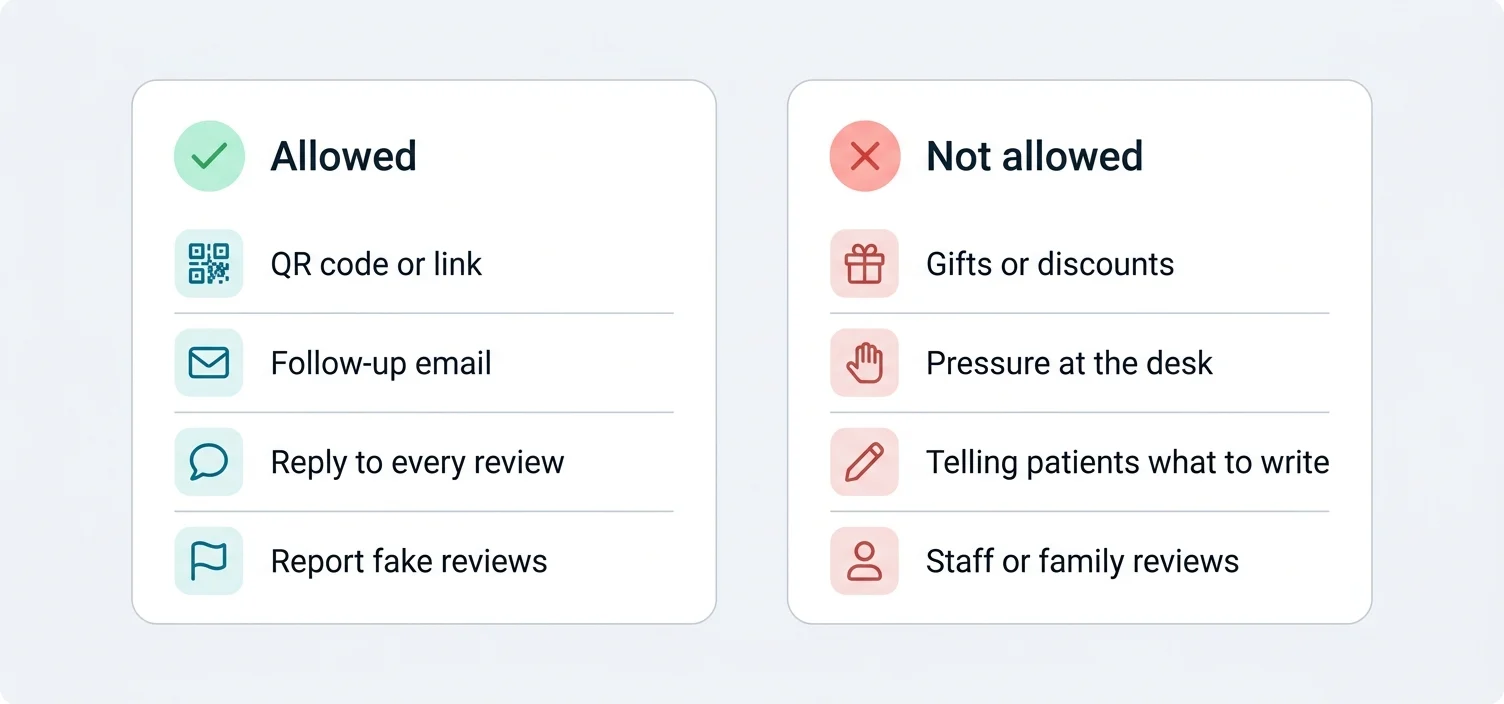
In the US, courts can impose civil penalties for knowing violations of the FTC rule.
Where to ask
- At reception after the visitA small QR card on the counter: "Tell others about your visit: scan to review us on Google." Display it; no tablet handed over at the desk.
- In the follow-up email you already sendOne line with your review link. Keep health details out of the email itself.
- On the appointment card or receiptA QR code on the back, so patients can review once they're home.
- Through a short surveyPut a survey behind the QR code or link, so patients rate their visit first.
Want to try it now? Create your review link with the free Google review link generator or print a code with the Google review QR code generator. More request wording is in our review request templates.
How to improve your healthcare online reputation in 90 days
A realistic plan for a single clinic or a small group:
Weeks 1–2: Get the basics right
- Check your Google Business Profile: name, categories, opening hours (including holidays), phone number, website and services.
- Read your last 50 reviews and note the three most common themes, good and bad.
- Agree who replies to reviews and who handles complaints.
Weeks 3–4: Reply to everything
- Answer every review from the last few months, starting with the unanswered negative ones, using the privacy-safe wording above.
- Set a rule: every new review gets a reply within two working days.
Weeks 5–8: Start asking every patient
- Put QR cards at reception and a review link in your follow-up emails.
- Track how many reviews come in per week. Volume and recency matter: a steady trickle of new reviews says more than a burst from two years ago.
Weeks 9–12: Act on what patients say
- Fix the most common complaint you can fix: waiting room updates, call-back times, billing explanations.
- Compare your rating, number of reviews and reply rate with week one.
None of this needs software. Software makes it easier to keep going after the first enthusiasm fades, which is when most practices stop.
Healthcare online reputation management with Scan And Review
Here is what Scan And Review does, as it works today:
- QR cards and review linksCards and table signs for reception and treatment rooms, or a link for emails and booking confirmations. Every scan is counted, so you see which one brings in the most feedback.
- Surveys and patient recoveryA short survey with your colours, logo and wording. High ratings get a ready review for Google; low ratings reach you privately as a ticket you can reply from, add notes to and resolve.
- AnalyticsSentiment and the topics patients mention most, your rating trend, reply rate and each location's numbers, for 30 days, 90 days, 12 months or all time.
- Google Business OptimizerYour Google Business Profile checked every morning and scored out of 100, with fixes that go live only after you approve them.
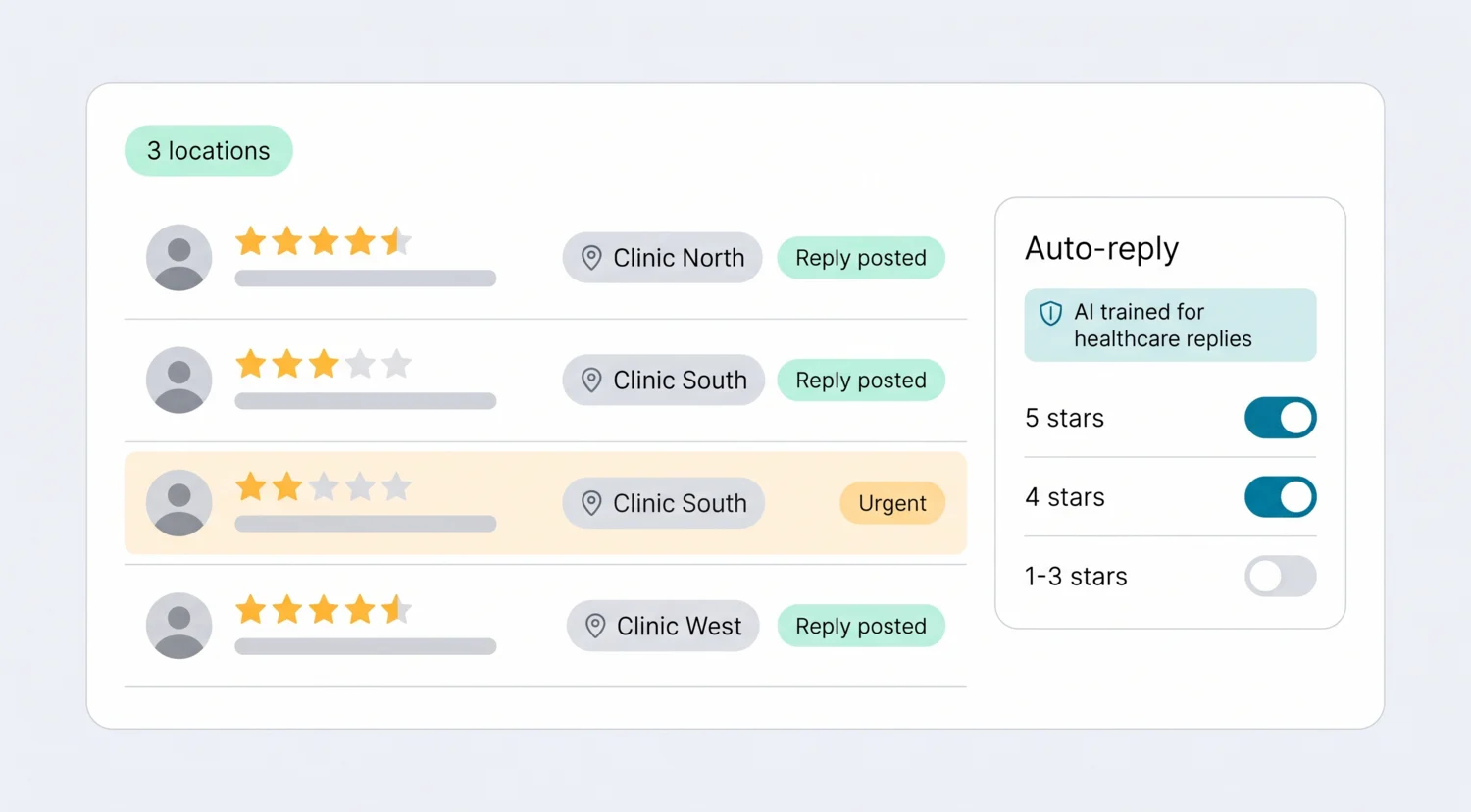
- AI auto-reply, trained for healthcare: new Google reviews get a reply posted automatically, in the reviewer's language, for the star ratings you switch on. Prefer the final say? Approve each reply first.
- Alerts and an urgent list: an email the moment a 1 to 3-star review arrives, and an Urgent tab for low ratings that still need an answer.
- Several locations in one place: every location's reviews in one list. Professional covers up to 5 locations; larger groups talk to us about Enterprise.
As a healthcare feedback platform, it is deliberately simple: no long survey projects and no integration project.
What Scan And Review does not do
- Google reviews only. It doesn't manage Healthgrades, Zocdoc, Vitals, Yelp or Facebook reviews.
- No SMS. Review requests go out through QR codes, surveys and links you paste into your own emails and messages.
- No automatic requests from your practice management system. You share the link or code yourself.
- It can't remove reviews. You can reply to any review and report reviews that break Google's policies; Google decides.
- It doesn't know your patients. The AI sees the review, not your records, so a person should read anything sensitive before it's posted.
Choosing healthcare reputation management software
Before you compare tools, decide what you actually need. These questions separate the options quickly:
| Question | Why it matters |
|---|---|
| Which review sites do your patients use? | If Healthgrades or Zocdoc matter as much as Google, you need a tool that covers them. If Google is what patients see, a Google-focused tool is enough. |
| Do you need SMS review requests? | Many healthcare tools are built around texting. Scan And Review uses QR codes, surveys and links instead. |
| Does your compliance team need a business associate agreement? | Ask every vendor this before you connect anything. |
| How many locations and people? | Per-location pricing adds up quickly for groups. |
| Is the price published? | Many healthcare vendors quote only after a demo. |
| Is the AI trained for healthcare replies? | Generic AI can repeat what a patient wrote. Ask whether replies are written to keep patient details out, and whether you choose which star ratings are answered automatically. |
Larger hospital systems that need EHR-triggered surveys, many review sites and research-grade patient experience measurement usually look at enterprise platforms. Independent clinics and small groups that mainly care about Google often don't need that weight, or that price.
Pricing
| Plan | Price | What you get |
|---|---|---|
| Professional | 49 a month, or 490 a year (two months free) | Up to 5 locations, unlimited AI replies, QR cards and surveys, Google Business Profile integration, Google Business Optimizer, analytics and email alerts for bad reviews |
| Enterprise | Custom pricing | For larger groups: contact us |
Visitors in the EU, EEA, UK and Switzerland see euros; other countries see the same amounts in US dollars. Every plan starts with a 14-day free trial, no credit card required. See pricing
Running a dental practice? See our page on dental reputation management. For physicians and their own Google profiles, see online reputation management for doctors.
FAQ
What is healthcare reputation management?
It is the work of getting, answering and learning from patient reviews and keeping your online profiles accurate, so that what people read about your practice matches the care you give.
Is Scan And Review HIPAA compliant?
We don't market Scan And Review as HIPAA-compliant software. It works with the reviews patients post publicly on Google and the replies you publish. If your compliance team requires a business associate agreement for this kind of tool, contact us before you start, and keep health details out of survey questions and replies.
Can AI reply to patient reviews?
Yes. Scan And Review's AI is trained for healthcare replies and can post them automatically for the star ratings you choose, without repeating patient details. Many practices auto-reply to 4 and 5-star reviews and keep 1 to 3 stars for a person; you can also approve every reply first.
Can we ask patients for a review at the front desk?
Yes. Google encourages asking with a link or QR code. Don't pressure patients to review while they're still on the premises.
Can we offer a discount for a review?
No. Google prohibits incentives for reviews, and in the US the FTC's rule bans incentives tied to a particular sentiment.
Should we reply to negative patient reviews?
Yes. A calm, general reply with a private contact route shows future patients that you listen. Just never confirm the person was a patient or discuss their care.
Can we get a fake review removed?
You can report it from your Google Business Profile. Google decides whether it breaks its policies. Reply politely in the meantime.
Does it work for clinics with several locations?
Yes. Professional covers up to 5 locations in one account; larger groups can ask about Enterprise.
Sources: Google Business Profile Help ("Tips to get more reviews", "Manage customer reviews"); Google Maps user-contributed content policy; HHS Office for Civil Rights resolution agreements and press releases for each practice named above; FTC "Consumer Reviews and Testimonials Rule: Questions and Answers".