
What online reputation management for doctors covers
Doctor reputation management starts with one question: what does a patient see when they type your name into Google? Usually four things:
- Your own Google profileA Business Profile under your name, with its own star rating and reviews. Many doctors have one without knowing it.
- The practice profileThe profile for the clinic or group, which shows up when people search for the practice name or "family doctor near me".
- Doctor directoriesSites such as Healthgrades, Vitals, WebMD and Zocdoc, which often rank for "Dr. [name] reviews".
- Your own pagesYour bio on the practice website and any profile you write yourself, such as LinkedIn.
Reputation management for doctors means looking after all four, but they don't carry equal weight. Google is where most patients see your rating first, right next to the map, the phone number and the "Directions" button. That's why Scan And Review works with Google reviews and leaves the directories to you. If a directory profile is out of date, claim it and correct it once; you don't need software for that.
Your own Google profile: doctor and practice listings
Here is the part of doctor online reputation management that most guides skip. Google lets individual practitioners have their own Business Profile, separate from the practice. Its guidelines name doctors explicitly, along with dentists and lawyers, and allow a title such as "Dr." or "MD" in the name.
Allowed
- A profile for each doctor who sees patients and can be reached at the location during the stated hours.
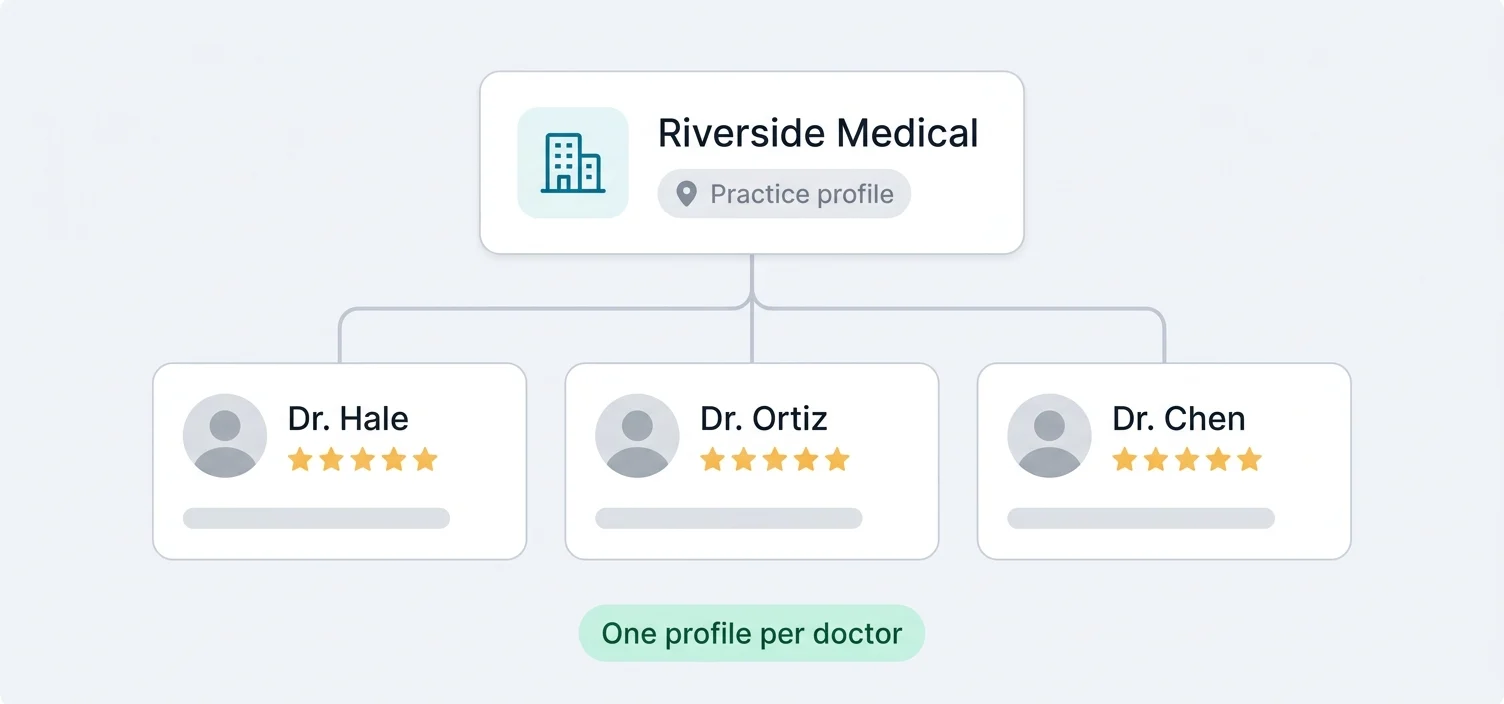
- A separate profile for the practice when several doctors work there.
- A doctor's profile named with the doctor's name only, for example "Dr. Jordan Hale, MD".
- A solo doctor in a branded practice sharing one profile, named "[practice]: [doctor]".
Not allowed
- Several profiles for one doctor to cover each specialty.
- Profiles for support staff, such as nurses at the front desk or billing.
- The practice name in a doctor's profile name when the practice has its own profile.
- Keywords in the name, such as "Dr. Hale, Best Cardiologist Chicago".
Why this matters for reviews: a patient who loved Dr. Hale will often search for Dr. Hale, not for the practice. If Dr. Hale's profile has three reviews from 2019 and the practice profile has 240, that patient sees the three. So decide for each doctor which profile you want reviews on, and point the QR code or link straight there. A practice with several doctors can give each one their own card in the exam room and keep a practice card at the front desk.
Before you start, search each doctor's name on Google Maps. If an old, unclaimed profile exists, claim it rather than creating a duplicate; Google doesn't allow two profiles for the same practitioner at the same location.
Doctor review management: replying without breaking confidentiality
Doctor review management is the daily part: reading each new review, deciding who answers, and replying in a way that's safe to publish.
Many physicians believe they aren't allowed to reply at all. That's a myth, says the American Medical Association: no federal law forbids it. What HIPAA and state laws limit is what you say. The AMA puts it plainly: a patient's own disclosure "is not permission for the doctor to disclose anything." So even if the reviewer names their condition and the date of their visit, your reply can't confirm either, or even that they were your patient.
Two habits from the AMA's guidance
- Speak about general policy, not the person. If someone is angry they didn't get antibiotics, you can explain that the practice prescribes them only when tests point to a bacterial infection, without a word about this patient.
- Don't reply straight away. A reply written in the first hour after a hurtful review usually reads defensive. Wait, then write it, or have someone else read it first.
The AMA also suggests taking things offline: a phone call sometimes leads the patient to update their review on their own. And one bad review doesn't ruin a rating that has plenty of good ones around it.
What happens when a practice gets this wrong is covered on our healthcare reputation management page, which lists real HHS settlements and fines for replies that disclosed patient information.
Reply examples for doctors
"Dr. Ortiz actually listened and explained everything. First doctor in years who didn't rush me."
"Thank you for taking the time to write this. Listening is something our whole team cares about, and we'll make sure Dr. Ortiz sees your kind words."
Why it works: Passing on praise to a named doctor is fine. It doesn't repeat any detail of the visit or confirm what it was about.
"Came in sick and left with nothing. Complete waste of a copay."
"We're sorry you left disappointed. Our doctors follow standard medical guidance: antibiotics help only with bacterial infections, so they're prescribed when an exam or test points to one. If you'd like to talk this through, please call our office manager on [phone]."
Why it works: It explains a general policy, as the AMA suggests, without mentioning this reviewer's symptoms or visit.
"Nice office, but I was in and out in 6 minutes and still have questions."
"Thank you for the honest feedback. Every patient should leave with their questions answered, and we're looking at how we book appointments so there's time for that. Please call us on [phone] and we'll make sure you get the time you need."
Why it works: It takes the concern seriously and offers a next step without confirming an appointment took place.
"Dr. Chen got my diagnosis completely wrong. Another doctor found the real problem."
"We're sorry to read this. We take every concern about care seriously, and it isn't something we can discuss here. Please contact our practice manager directly on [phone] so we can listen and look into it properly."
Why it works: It doesn't argue, defend the diagnosis or confirm a patient relationship. A complaint about clinical care belongs in a private conversation, and your malpractice insurer's advice comes first.
Think the review is fake, or written by someone who was never a patient? Don't write "we have no record of you"; that statement is itself a disclosure about who is and isn't in your records. Report it from your Business Profile instead. Google reviews each report against its policies and decides whether to remove the review.
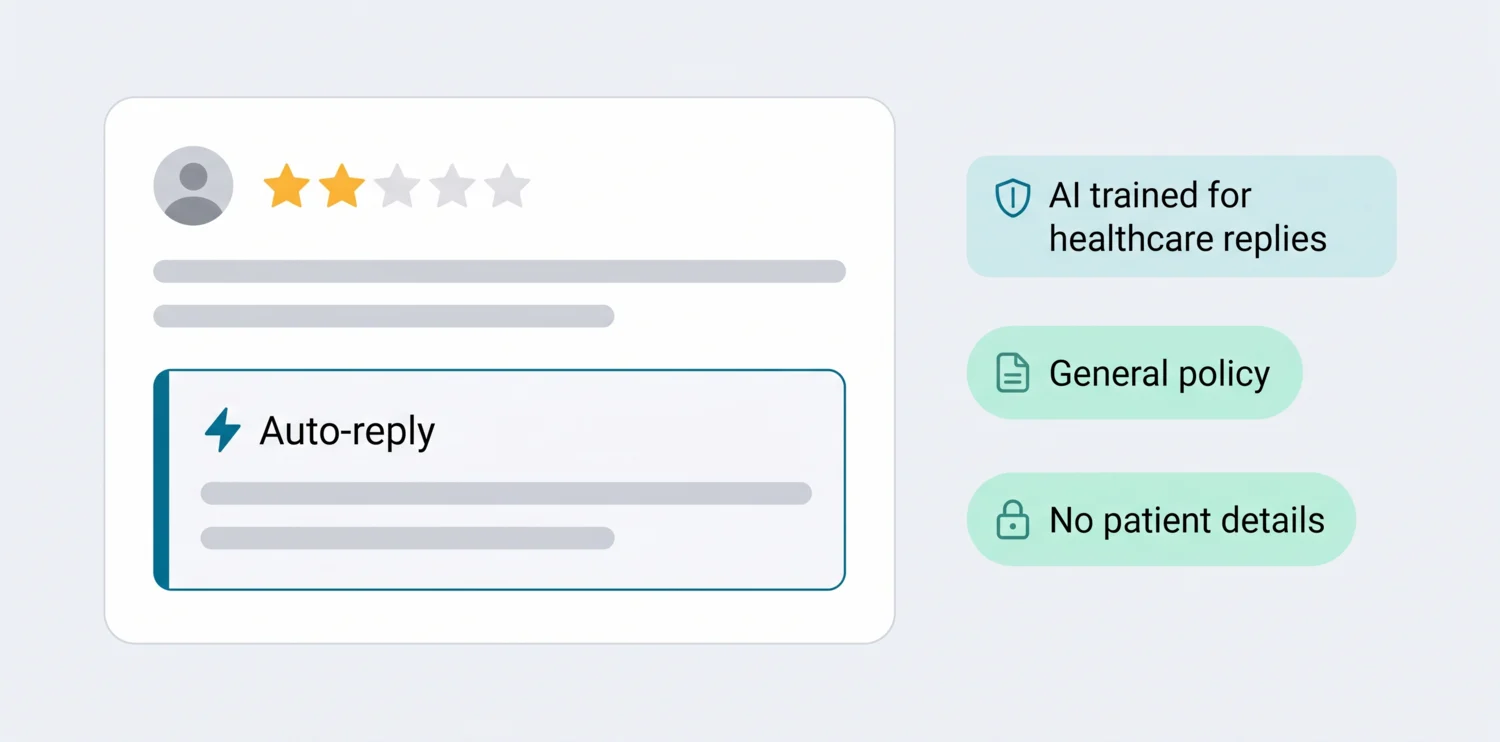
Scan And Review answers new Google reviews with AI auto-reply. The AI is trained for healthcare replies: it thanks, explains general policy and offers a private contact, without confirming that the reviewer is a patient. You choose which star ratings get an automatic reply, for example 4 and 5 stars, and the rest wait in the Urgent tab for a person. Prefer to check every reply? Switch to approval mode and nothing is posted until you OK it. More on that: AI replies to Google reviews. For more wording, see our guide to responding to Google reviews.
How to get more reviews for each doctor
Most happy patients never review a doctor simply because nobody asked, and the profile is hard to find. A good request is short, easy and comes at the right moment:
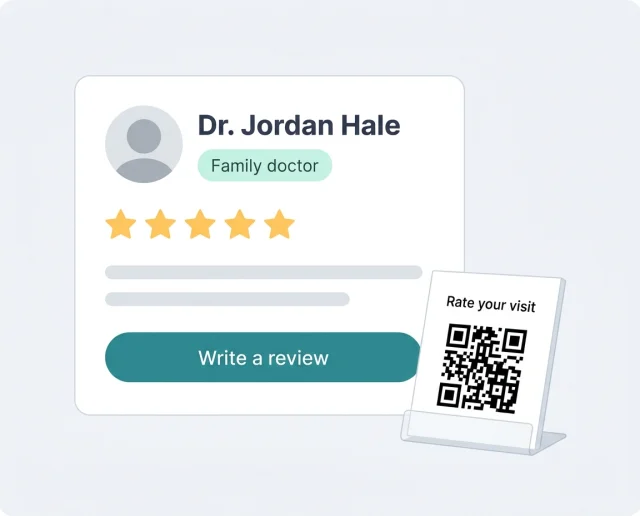
- In the exam roomA small card with the doctor's own QR code: "How was your visit with Dr. Hale? Scan to review on Google." Patients scan it while they're getting dressed or waiting for paperwork.
- At checkoutA card with the practice's QR code on the front desk, for patients who'd rather review the whole visit.
- In the follow-up email you already sendOne line and a link. Keep diagnoses and treatment out of the email itself.
- On the doctor's business cardA QR code on the back, so a patient who takes the card home can review later.
The rules for asking
Asking for reviews is fine: Google itself suggests a link or QR code. A few things are off-limits for every business, and doctors have one more rule on top:
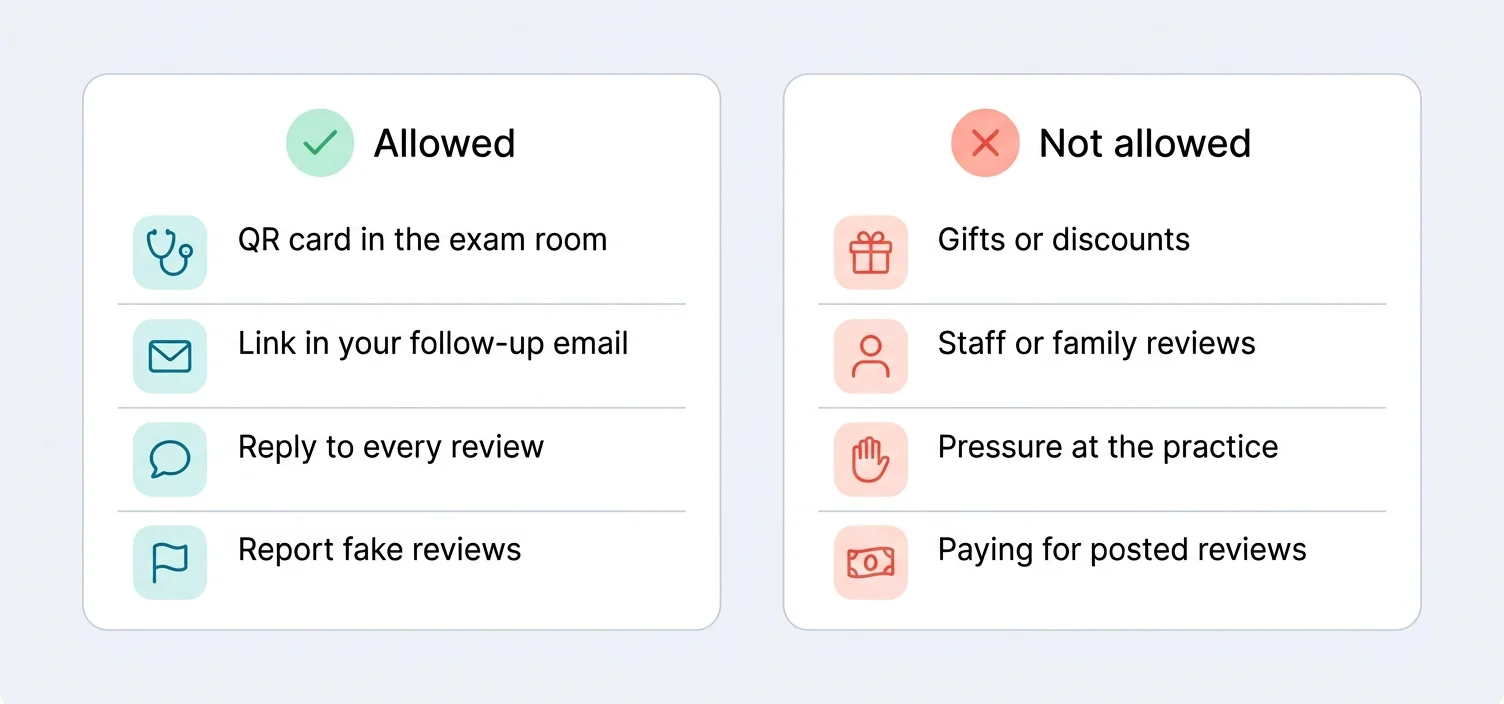
The last point deserves a warning. TMLT, a medical liability insurer in Texas, describes an "online reputation management" company that offered a physician to post up to 25 reviews a month. Reviews that don't come from real patients break Google's policy against fake engagement, and in the US the FTC's review rule (in force since October 21, 2024) bans fake reviews outright. For doctors, TMLT adds that medical boards can treat them as misleading advertising.
Ready to try it? Make a review link for any profile with the free Google review link generator, print a code with the Google review QR code generator, or borrow wording from our review request templates.
Medical practice reputation management: several doctors, one team
Medical practice reputation management gets harder as soon as there's more than one doctor. Reviews land on different profiles, nobody is sure who replies, and the doctor with the oldest profile quietly falls behind.
| Setup | Google profiles | Where to ask for reviews |
|---|---|---|
| Solo doctor, own practice | One profile for the practice, named after the practice or the doctor | One card at the front desk and in the exam room |
| Solo doctor in a branded practice | One shared profile, named "[practice]: [doctor]" | The shared profile, everywhere |
| Several doctors at one location | One practice profile plus one profile for each doctor | Each doctor's card in their room, the practice card at checkout |
| Several locations | One profile per location, plus each doctor's own | Each location's own cards and links |
Then agree three things as a team: who reads new reviews every day, who may publish replies (for example the practice manager, with the doctor's OK for clinical complaints), and how fast a 1-star review gets an answer. Two working days is a good default.
With Scan And Review, every connected profile's reviews arrive in one list, each marked with its location. Low ratings go to an Urgent tab until someone answers them, and analytics shows each location's rating trend and reply rate. Professional covers up to 5 locations. If you want to connect separate doctor profiles too, ask us how many you'll need before you choose a plan.
Online reputation management for physicians with Scan And Review
- QR cards and review linksCards and table signs for exam rooms and the front desk, plus links for emails. Every scan is counted, so you can see which card brings in the most feedback.
- Surveys and patient recoveryA short survey in your colours. High ratings get a ready review for Google; low ratings reach you privately as a ticket you can reply from, add notes to and resolve.
- AnalyticsSentiment and the topics patients mention most, such as waiting time, friendliness or billing, plus your rating trend, reply rate and each location's numbers.
- Google Business OptimizerYour Google Business Profile checked every morning and scored out of 100, with written fixes that go live only after you approve them.
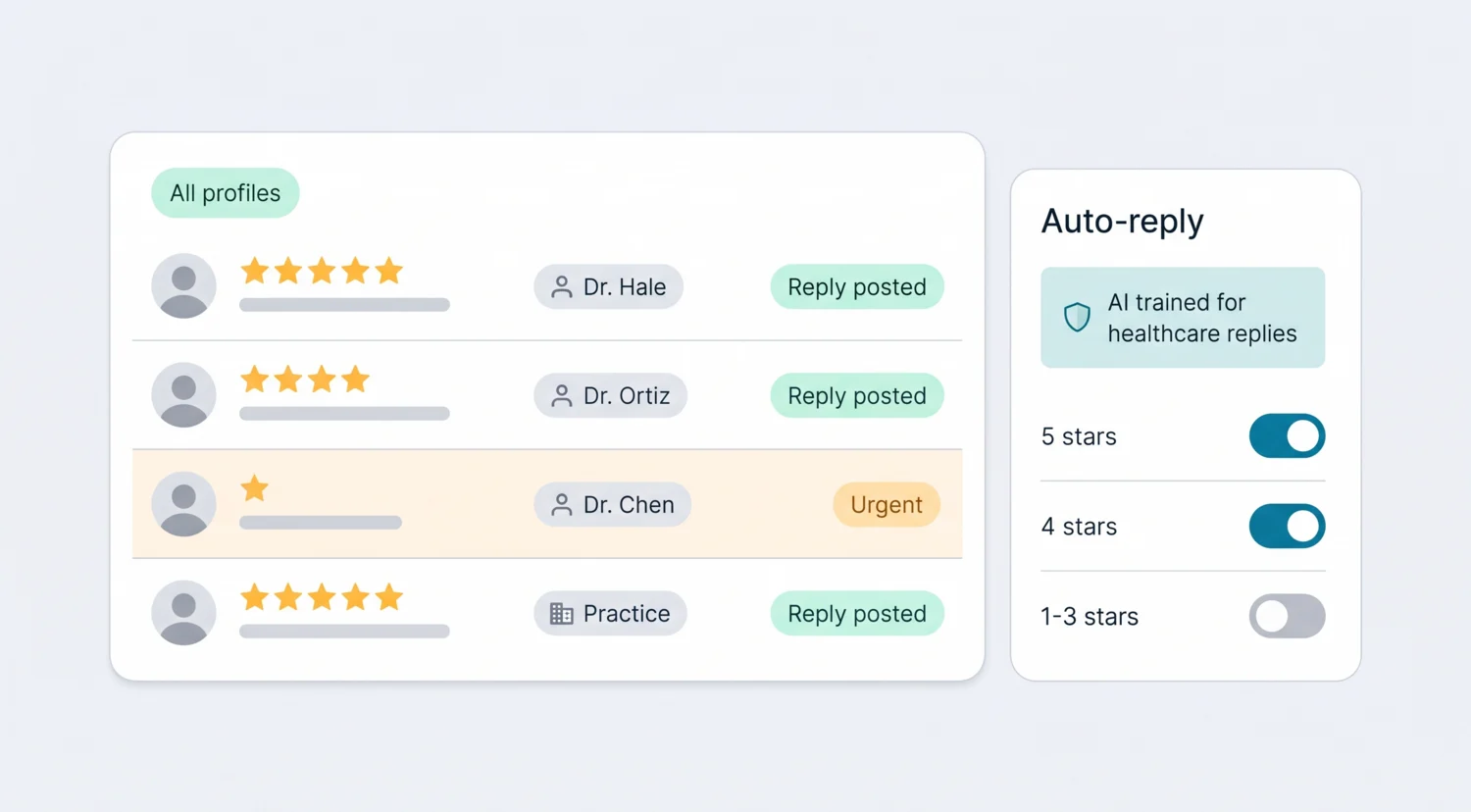
- AI auto-reply, trained for healthcare: new Google reviews get a reply posted automatically, in the reviewer's language, for the star ratings you switch on. Prefer the final say? Approve each reply first.
- Alerts for bad reviews: an email as soon as a 1 to 3-star review arrives, and an Urgent tab for low ratings that still need an answer.
- Every connected profile in one list, each review marked with the profile it belongs to.
What it doesn't do
So you can rule it out quickly if it doesn't fit:
- Google reviews only. It doesn't manage Healthgrades, Vitals, WebMD, Zocdoc, Yelp or Facebook reviews.
- No SMS. Requests go out through QR codes, surveys and links you paste into your own emails and messages.
- No EHR or practice management integration. Nothing is triggered automatically from your scheduling system; you share the card or link.
- It can't remove reviews. You reply and report; Google decides what comes down.
- It doesn't see patient records. The AI only sees the review text, so a person should check anything sensitive before it's posted.
Physician reputation management: software, agency or do it yourself?
Physician online reputation management can be done three ways. The right one depends on your time, budget and how many review sites matter to your patients.
| Do it yourself | Software like Scan And Review | Reputation agency | |
|---|---|---|---|
| What you pay | Your staff's time | A monthly subscription | A monthly retainer, often several times a software plan |
| Who writes replies | You | AI auto-reply trained for healthcare, or approval first | The agency, in your name |
| Getting reviews | Ask by hand, if someone remembers | QR cards, surveys and links that work every day | Usually text and email campaigns |
| Review sites | Whatever you check | Often many directories | |
| Risk to watch | It stops when the practice gets busy | Google only | Promises to "remove" reviews or post them for you |
If an agency promises to delete negative reviews or guarantees a number of new reviews each month, ask how. Only Google can remove a Google review, and only real patients can write one.
Pricing
| Plan | Price | What you get |
|---|---|---|
| Professional | 49 a month, or 490 a year (two months free) | Up to 5 locations, unlimited AI replies, QR cards and surveys, Google Business Profile integration, Google Business Optimizer, analytics and email alerts for bad reviews |
| Enterprise | Custom pricing | For larger groups and health systems: contact us |
Visitors in the EU, EEA, UK and Switzerland see euros; other countries see the same amounts in US dollars. Every plan starts with a 14-day free trial, no credit card required. See pricing
Running a clinic with several kinds of care? Read healthcare reputation management. For dental practices, see dental reputation management.
FAQ
What is online reputation management for doctors?
It's how a physician or practice earns, answers and learns from patient reviews, and keeps profiles such as Google, Healthgrades and the practice website accurate, so what patients read matches the care they get.
Should every doctor have their own Google Business Profile?
Google allows it for doctors who see patients and can be reached at the location during the stated hours. In a group practice, the practice keeps its own profile as well. A solo doctor in a branded practice should share one profile named "[practice]: [doctor]".
Can a doctor respond to a negative review?
Yes. No federal law forbids replying. What you can't do is disclose patient information, including the fact that the reviewer is your patient, even if they've shared the details themselves. Keep replies general and offer a private contact.
Can AI write replies to patient reviews?
Yes. Scan And Review's AI is trained for healthcare replies and can post them automatically for the star ratings you choose, without repeating patient details. Many practices auto-reply to 4 and 5-star reviews and keep 1 to 3 stars for a person; you can also approve every reply first.
Can I ask patients for a review in the exam room?
Yes, a QR card or a friendly question is fine. Don't pressure patients to review on the spot, and never offer anything in return.
Can a reputation company remove bad reviews?
Not on Google. You or any agency can report a review that breaks Google's policies, and Google decides. Be wary of anyone who guarantees removals.
Does Scan And Review manage Healthgrades or Vitals reviews?
No. Scan And Review works with Google reviews only. Claim your directory profiles and keep them accurate; most patients see your Google rating first.
Is Scan And Review HIPAA compliant?
We don't market Scan And Review as HIPAA-compliant software. It works with reviews patients post publicly on Google and the replies you publish. If your compliance team needs a business associate agreement for this kind of tool, contact us before you start, and keep health details out of survey questions and replies.
Sources: Google Business Profile Help ("Guidelines for representing your business on Google", individual practitioners section; "Tips to get more reviews"; "Manage customer reviews"); Google Maps user-contributed content policy; American Medical Association, "Myth or fact? Physicians can't respond to online patient reviews" and "How to respond to bad online reviews"; TMLT, "Online Reputation Management for Physicians"; FTC "Consumer Reviews and Testimonials Rule: Questions and Answers".