
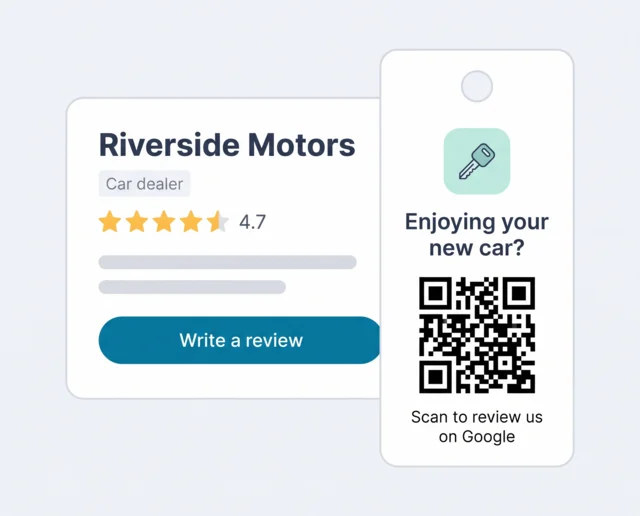
What car dealer reputation management covers
When someone types your dealership's name into Google, they see more than one thing. Reputation management for car dealers means looking after all of it:
- Your Google profilesThe listing for the store, and often separate ones for service and parts. Each has its own rating, and Google shows it beside the map, the phone number and "Directions".
- Auto review sitesDealerRater, Cars.com, CarGurus, Edmunds and Yelp. Shoppers find them while browsing inventory or researching a salesperson.
- Manufacturer surveysThe OEM's customer satisfaction (CSI) surveys. They feed your franchise programs, but shoppers never see them.
- Your repliesEvery answer you post is public. Shoppers read how you handled the angry review as closely as the review itself.
These don't carry equal weight. Google is where most local shoppers see your rating first, and it's the only one of the four that sits right next to your phone number and opening hours. That's why Scan And Review works with Google reviews and leaves the other sites to you. A high CSI score and a low Google rating can exist side by side, because they ask different people different questions at different times, so track them on separate lines.
Dealership reputation management starts with the right Google profiles
Here's something most dealer guides skip: Google has its own rules for car dealerships, and they decide how many ratings you actually have.
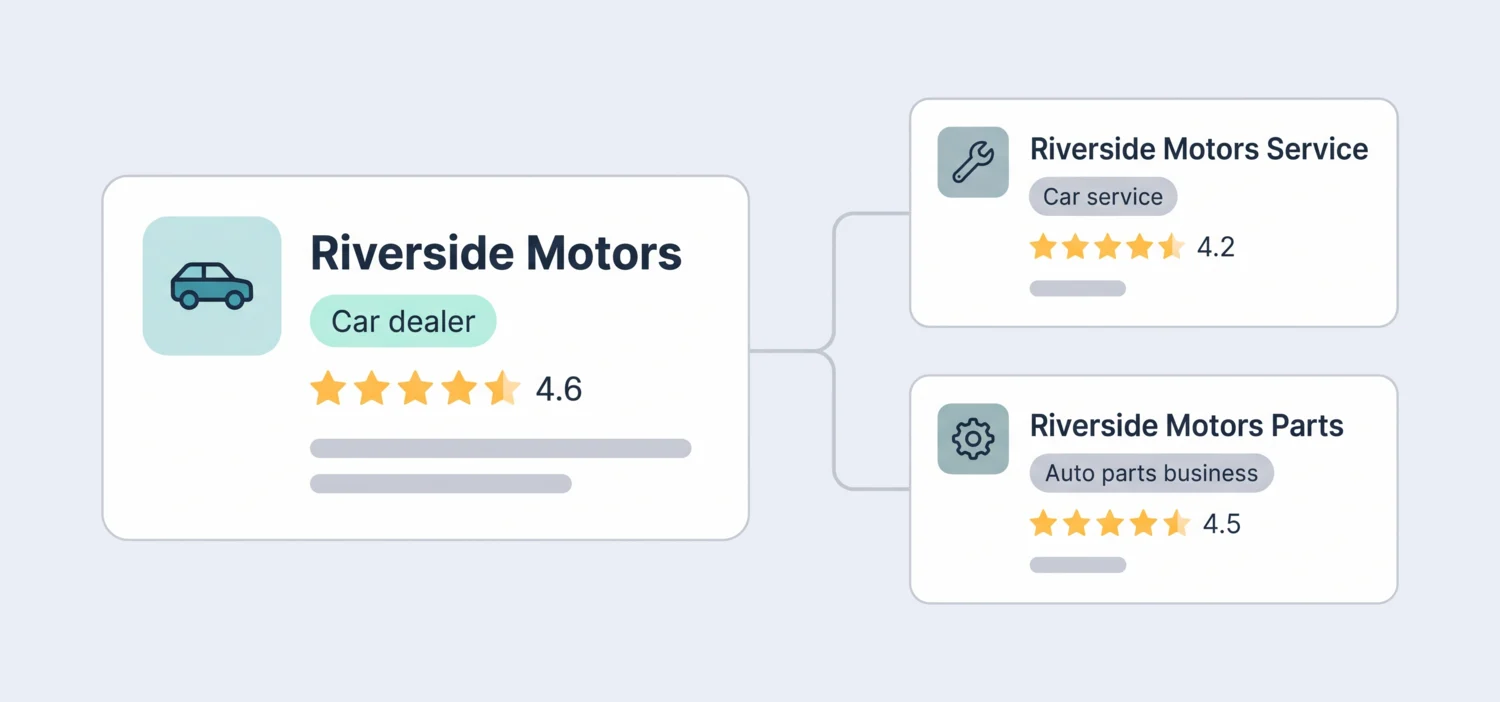
According to Google's guide for car dealerships:
Allowed
- A profile for the dealership itself, plus profiles for departments such as sales, service and parts.
- A profile for each brand of new cars a new-car dealership sells.
- Department names built from the dealership name, for example "Riverside Motors Service".
Not allowed
- Profiles per car brand for a used-car dealership. Google says used-car brands change too often.
- One profile that mixes several brands into a single name.
Google recommends the categories "Car dealer" for sales, "Car service" for maintenance and "Auto parts business" for parts. It also asks dealers to keep each department's hours and phone number correct on its own profile.
Why does this matter for reviews? Because a service customer who scans a card at the cashier should land on the service profile, not the showroom's. If every review goes to the main profile, the service department's rating never moves, even when the team is doing great work. Decide which profile each card and link points to before you print anything.
Automotive reputation management: sales and service are two different jobs
Automotive reputation management works best when you treat the showroom and the service lane as two separate review programs. They happen on different timelines, go wrong in different ways and need different people to answer.
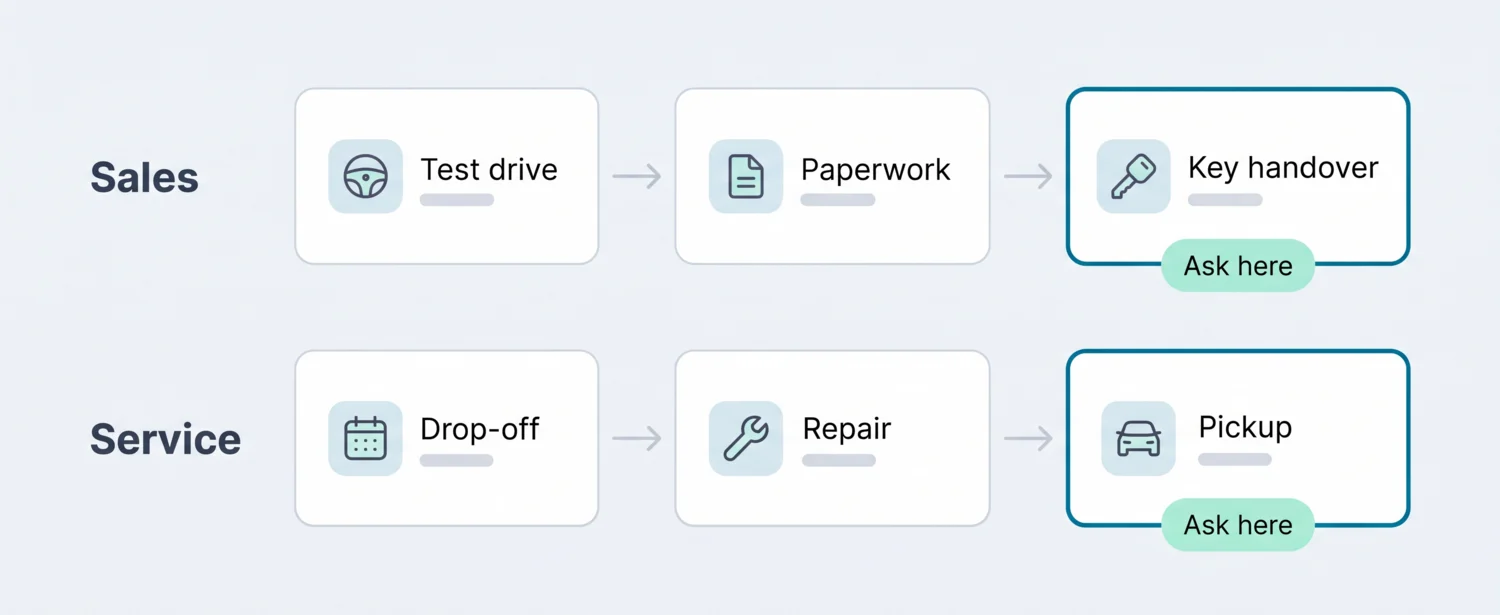
| Sales | Service | |
|---|---|---|
| Best moment to ask | At key handover, after the walkthrough of the car | At pickup, after the advisor has explained the work |
| Too early | In the finance office, while the customer is still signing | When the repair order closes but the car isn't ready yet |
| How often | Once per purchase | Every visit is a chance, so watch that regulars aren't asked every time |
| Common complaints | Price at signing, add-ons, trade-in value, pressure | No update on the repair, waiting time, a comeback repair |
| Who answers | Sales manager | Service manager |
| Which profile | Main dealership profile | Service profile, if you have one |
Service usually produces more reviews than sales, simply because it sees each customer several times a year. That's good news: a steady flow of recent service reviews keeps your profile fresh between busy sales months.
Where to ask for car dealership reviews
Most happy buyers never write a review because nobody asked at the right moment, and finding your profile on a phone takes too long. Put a QR code wherever the good moment happens:
- On the key tag at deliveryA small card on the new car's key ring: "Enjoying your new car? Scan to review us on Google." The salesperson mentions it once during the handover.
- At the service cashierA table sign on the counter where customers pay and collect their keys, pointing to the service profile.
- On the passenger seat after serviceA card left with the invoice, so the customer finds it when they get in. Many leave a review from the parking lot.
- On each salesperson's business cardA QR code on the back. Buyers keep these cards, and the code works weeks later.
- In the emails you already sendOne line and a link in the delivery thank-you email and the service invoice email. No extra system needed.
- In the waiting areaA sign near the coffee machine for customers who wait for their car. Point it at the service profile.
Each card can point straight to Google or to a short survey first, and every scan is counted, so after a month you'll know whether the key tag or the cashier sign brings in more reviews. Ready to print something today? Make a link with the free Google review link generator, turn it into a code with the Google review QR code generator, or borrow wording from our review request templates.
The rules for asking
Asking every customer for an honest review is fine. Google itself suggests sharing a link or a QR code. What gets dealerships into trouble is paying for reviews in some form:
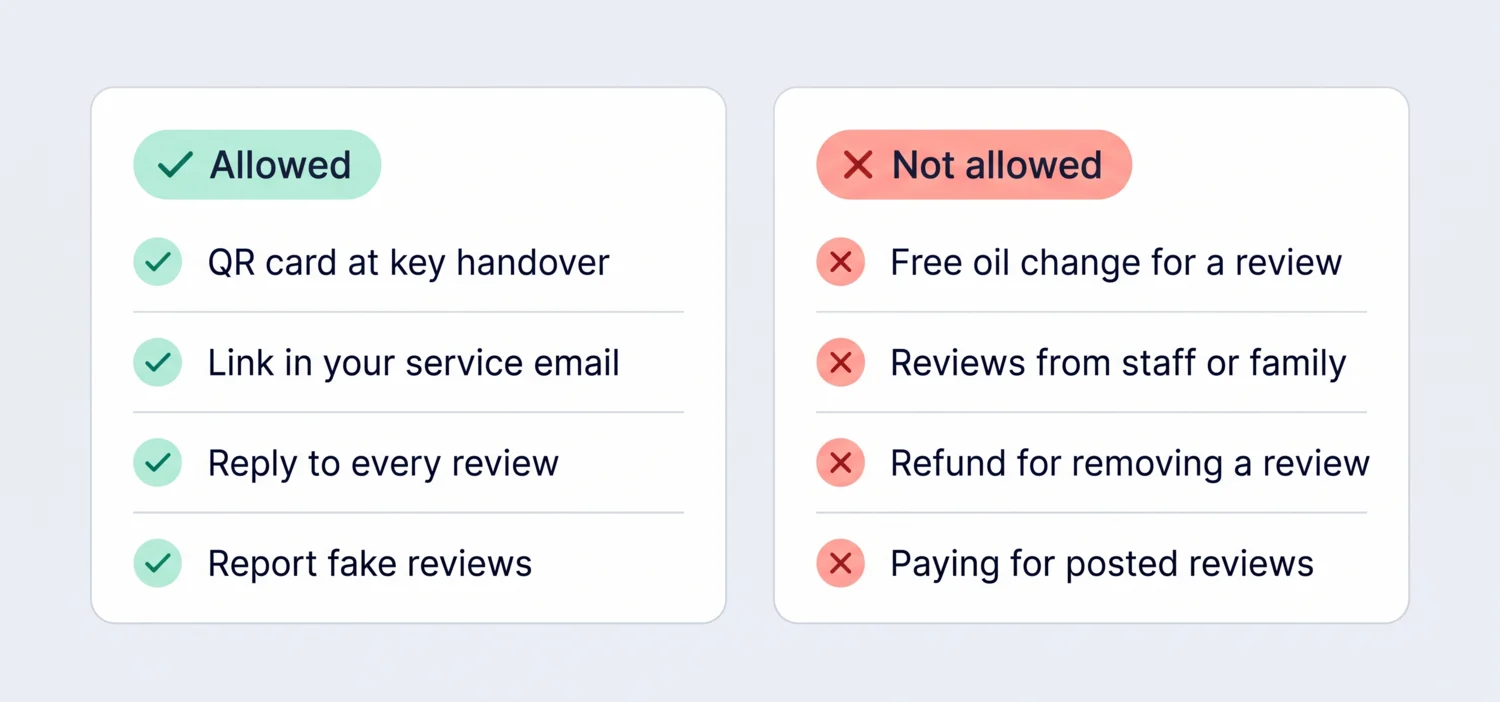
The first one catches dealers most often. A free oil change, a discount on the next service or an entry into a prize draw "for leaving a review" counts as an incentive under Google's policy, and Google can remove the reviews. The same goes for offering a refund or a goodwill repair in exchange for deleting a bad review. Salespeople reviewing their own store, or asking family to do it, is a conflict of interest that Google removes as well. In the US, the FTC's rule on consumer reviews (in force since October 21, 2024) also bans fake reviews and reviews bought for a particular rating.
Dealer review management: answering every review
Dealer review management is the daily part: reading each new review, answering it and passing real problems to the person who can fix them. Shoppers read your replies before they call, so a fast, specific answer matters more than a perfect rating.
- Keep deal and repair details out of public replies. No prices, financing terms, VINs or repair order numbers. Offer a named manager and a phone number instead.
- Don't argue the numbers in public. Even if the customer is wrong about the price, a reply that proves it reads defensive to every other shopper.
- Send the problem to the department. A complaint about a service delay goes to the service manager, not just to whoever writes the replies.
Reply examples for car dealers
These examples were written for this page. They are not replies from real customers.
"Marcus made buying my first car easy. No pressure at all, and he explained every button before I drove off."
"Thank you for choosing us for your first car! Taking time at delivery is exactly what we want every buyer to get, and we'll make sure Marcus sees this. Enjoy the new ride."
Why it works: It thanks the buyer, repeats the specific thing they liked and passes the praise to the salesperson by name, which they already used.
"Online price was one number, the paperwork was almost $2,000 more. Add-ons nobody mentioned until the end."
"We're sorry, that's not the experience we want anyone to have. The price you're quoted should be the price you see on the paperwork, with every add-on explained up front. Our sales manager would like to go through your purchase with you personally; please call us on [phone]."
Why it works: It doesn't dispute the numbers in public or mention financing, names who will follow up and states the standard the store holds itself to.
"Car sat in service for three days and nobody called me once. I had to chase them for every update."
"You shouldn't have had to chase us for updates. Our service advisors are meant to call every day a car is with us, and we're looking at why that didn't happen. Our service manager will reach out today; you can also call [phone] and ask for the service manager."
Why it works: It admits the gap without excuses, says what should happen and offers a direct contact. No repair order or vehicle details appear.
"Buying went fine, but the trade-in offer was way below what two other places quoted me."
"Thank you for the honest feedback. Trade-in offers are based on current auction data, the car's condition and what it will cost to get it ready for sale, so they can differ between dealers. We're happy to walk you through how we arrived at ours; just call [phone]."
Why it works: It explains a general policy instead of defending this customer's figure, and offers to talk privately.
Scan And Review answers new Google reviews for you with AI auto-reply. Each reply is written in the reviewer's language and posted automatically, usually about 30 minutes after the review arrives. You choose which star ratings get an automatic reply: most dealers switch it on for 4 and 5-star reviews, which make up the bulk of the work, and keep 1 to 3 stars in the Urgent tab for the sales or service manager. Prefer the final say on everything? Ask for a draft instead, edit it and post it. More on how it works: AI replies to Google reviews. For more wording, see our guide to responding to Google reviews.
Reputation management for automotive groups with several rooftops
Reputation management for automotive groups gets harder with every store. Reviews land on different profiles, each general manager checks them differently, and nobody notices that one store's service rating has slipped for three months.
| Setup | Google profiles | Where to ask for reviews |
|---|---|---|
| Independent used-car lot | One profile for the dealership | Key tag at delivery, card on each salesperson's desk |
| Independent lot with a workshop | One dealership profile plus a service profile | Key tag for sales, cashier sign and seat card for service |
| Franchise store | Dealership profile, service and parts profiles, and one per new-car brand you sell | Each department's cards point to its own profile |
| Dealer group | The profiles above for every rooftop | The same card set at every store, so results can be compared |
Then agree three things across the group: who reads new reviews every day at each store, who answers low ratings (the sales manager for sales, the service manager for service), and how fast a 1-star review gets an answer. One working day is a good target.
With Scan And Review, every connected profile's reviews arrive in one list, each marked with its location. Auto-reply handles the 4 and 5-star reviews at every store, low ratings wait in the Urgent tab until someone answers them, and analytics shows each location's rating trend and reply rate side by side.
Professional covers up to 5 locations. A single franchise store with separate sales, service and parts profiles can use several of those on its own, so ask us how many you'll need before you choose a plan. Larger groups talk to us about Enterprise.
Car dealer reputation management with Scan And Review
- QR cards and review linksKey tags, counter signs and business cards, plus links for your emails. Every scan is counted, so you can see which card brings in the most feedback.
- Surveys and customer recoveryA short survey in your colours. High ratings get a ready review to post on Google; low ratings reach you privately as a ticket you can answer, add notes to and resolve.
- AnalyticsSentiment and the topics customers mention most, such as pricing, waiting time or communication, plus your rating trend, reply rate and each location's numbers.
- Google Business OptimizerEach Google Business Profile checked every morning and scored out of 100, with written fixes for description, categories and hours that go live only after you approve them.
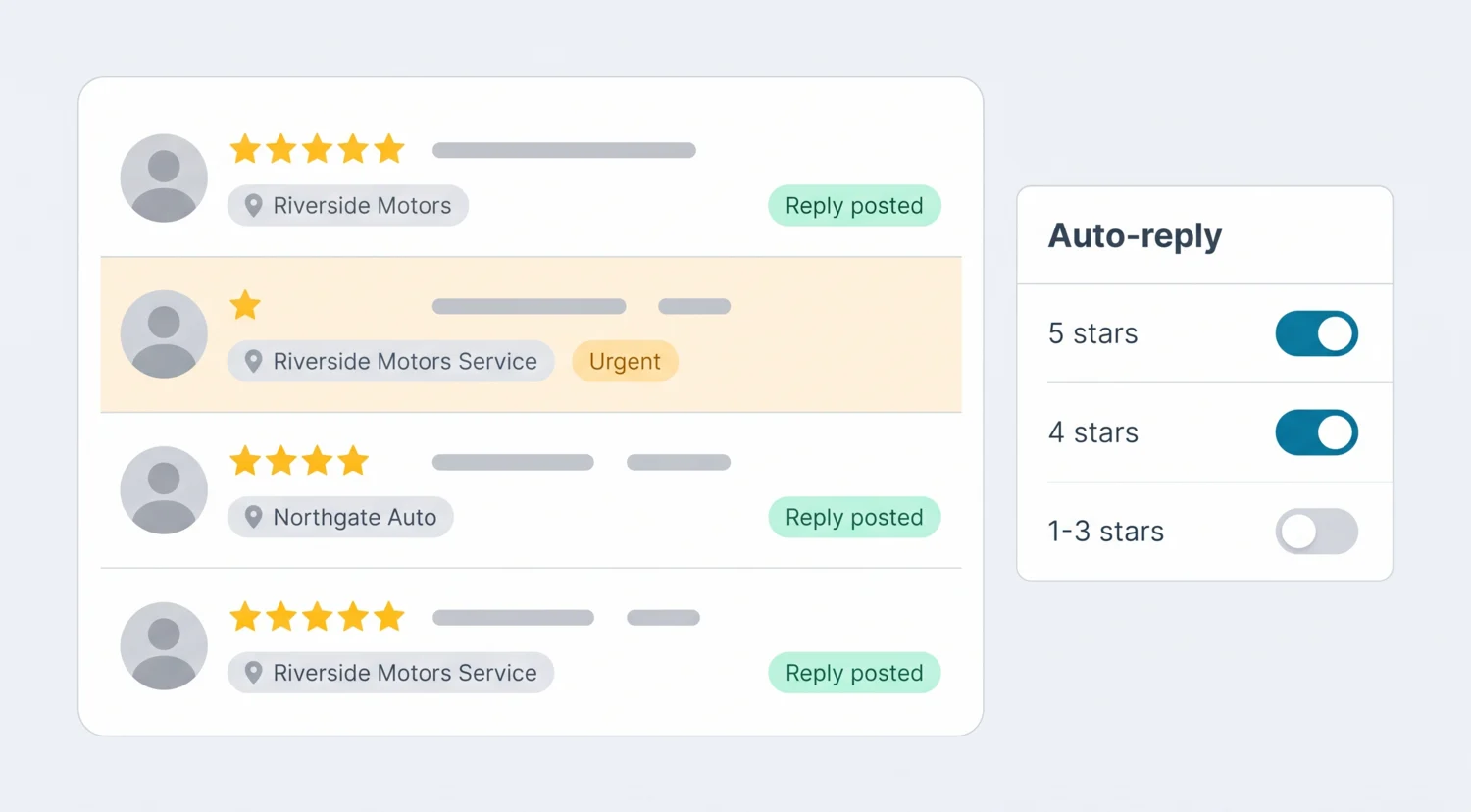
- AI auto-reply for every new Google review, in the reviewer's language, posted automatically for the star ratings you switch on.
- Alerts for bad reviews: an email as soon as a 1 to 3-star review arrives, and an Urgent tab for low ratings that still need an answer.
- Every rooftop in one list, each review marked with the profile it belongs to, so the service profile never gets forgotten.
What it doesn't do
So you can rule it out quickly if it doesn't fit:
- Google reviews only. It doesn't manage DealerRater, Cars.com, CarGurus, Edmunds, Yelp or Facebook reviews.
- No SMS. Requests go out through QR codes, surveys and links you paste into your own emails and messages.
- No DMS or CRM integration. Nothing is sent automatically when a deal closes or a repair order is finished; your team hands over the card or the link.
- No manufacturer surveys. OEM CSI surveys stay with your manufacturer's program.
- It can't remove reviews. You reply and report; Google decides what comes down.
Software, agency or in-house: which fits your dealership?
There are three common ways to run reputation management for automotive businesses. The right one depends on your store count, budget and how much your team can do itself.
| In-house | Scan And Review | Automotive platforms and managed services | |
|---|---|---|---|
| What you pay | Staff time | 49 a month for up to 5 locations | Usually quoted per rooftop; dealers report roughly $300–$700 a month |
| Who writes replies | Whoever has time | AI auto-reply, or you approve first | Software drafts, or the vendor's team writes them |
| Getting reviews | Ask by hand, when someone remembers | QR cards, surveys and links every day | Texts and emails triggered from the DMS |
| Review sites | Whatever you check | Google plus DealerRater, Cars.com and others | |
| Best for | A small lot with a few reviews a month | Independent dealers and small groups that win on Google | Large franchise groups that need DMS triggers and many sites |
If a vendor promises to remove negative reviews or guarantees a number of new five-star reviews each month, ask how. Only Google can remove a Google review, and only real customers can write one. For a closer comparison with two of the bigger names, see our Podium alternative and Birdeye alternative pages.
Pricing
| Plan | Price | What you get |
|---|---|---|
| Professional | 49 a month, or 490 a year (two months free) | Up to 5 locations, unlimited AI replies, QR cards and surveys, Google Business Profile integration, Google Business Optimizer, analytics and email alerts for bad reviews |
| Enterprise | Custom pricing | For dealer groups with more rooftops: contact us |
Visitors in the EU, EEA, UK and Switzerland see euros; other countries see the same amounts in US dollars. Every plan starts with a 14-day free trial, no credit card required. See pricing
Want to know how many 5-star reviews it takes to lift your rating from 4.2 to 4.5? Try the free Google review calculator. Curious how complete your profile is? Run the free Google Business Profile audit.
FAQ
What is car dealer reputation management?
It's how a dealership earns, answers and learns from the reviews buyers and service customers leave, mainly on Google but also on sites like DealerRater and Cars.com, so what shoppers read matches the experience you give.
Should sales and service have separate Google profiles?
Google allows it. A dealership can have a profile for the store plus profiles for departments such as service and parts, and a new-car dealer can have one per brand it sells. Separate profiles give the service team its own rating, so point service cards and links at the service profile.
When is the best time to ask a car buyer for a review?
At key handover, after the walkthrough of the car, and for service at pickup once the advisor has explained the work. Asking in the finance office or before the car is ready usually feels pushy.
Can we offer a free oil change for a Google review?
No. Google treats any discount, free service or gift in exchange for a review as an incentive and can remove those reviews. You can ask every customer for an honest review, with nothing attached.
Can a dealership remove a negative Google review?
Only if it breaks Google's policies, for example if it's fake, spam or written by a competitor. You report it and Google decides. For genuine complaints, a calm reply and a private follow-up work better than any removal attempt.
Does Scan And Review reply to reviews automatically?
Yes. AI auto-reply posts a reply to each new Google review for the star ratings you choose, usually about 30 minutes after it arrives. Many dealers auto-reply to 4 and 5 stars and keep 1 to 3 stars for a manager, and you can ask for drafts instead whenever you want the final say.
Does it work with DealerRater, Cars.com or CarGurus?
No. Scan And Review works with Google reviews only. Claim your profiles on those sites and keep them accurate; most local shoppers see your Google rating first.
Does it integrate with our DMS or CRM?
No. There's no DMS or CRM integration and no SMS. Your team hands out the QR card at delivery or pickup, or pastes your review link into the emails you already send.
Sources: Google Business Profile Help ("Sign up for a Business Profile for a car dealership"; "Maintain key information for the dealership"; "Engage with shoppers and build loyalty"; "Guidelines for representing your business on Google"; "Tips to get more reviews"); Google Maps user-contributed content policy; FTC "Consumer Reviews and Testimonials Rule"; DealerSignals, "Best Reputation Management Software for Car Dealers (2026)" (dealer-reported price range).